Once you Register with Quiif and verify your e-mail address, you will be taken directly into your account, AKA your User Panel.
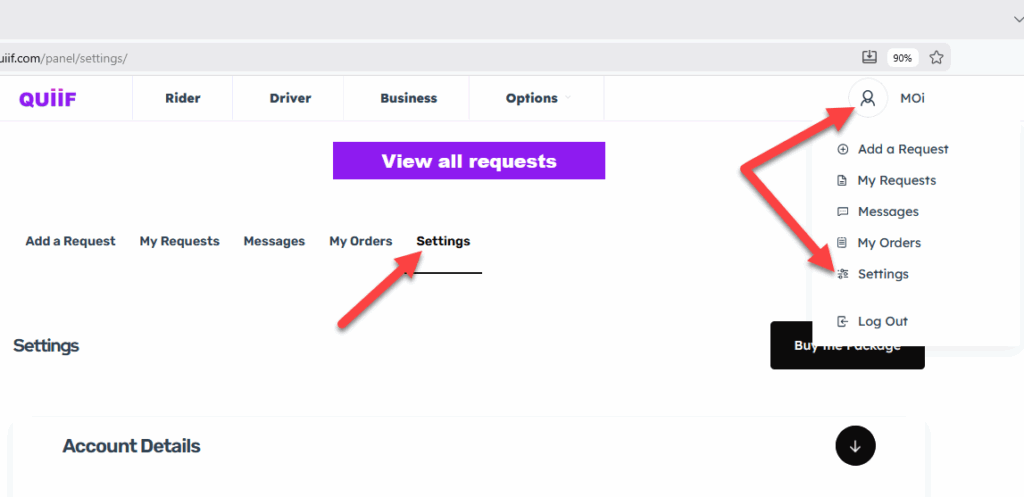
Hover over your profile image icon on the top right hand side and click on Settings.
Or just click on setting on the second menu
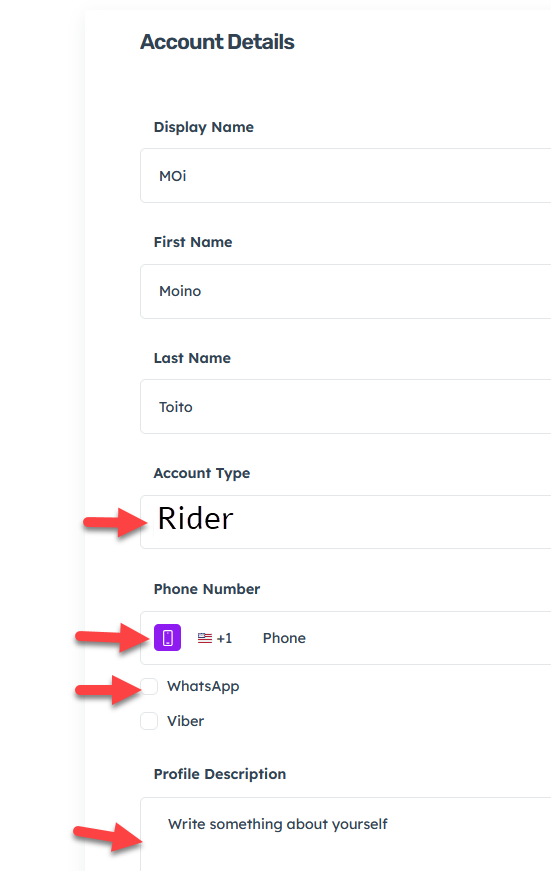
In the Account Details section, fill out your information including your cellphone number, your address, and check on WhatsApp and Viber. You could finish, if you like, with a brief description about yourself for your customers.
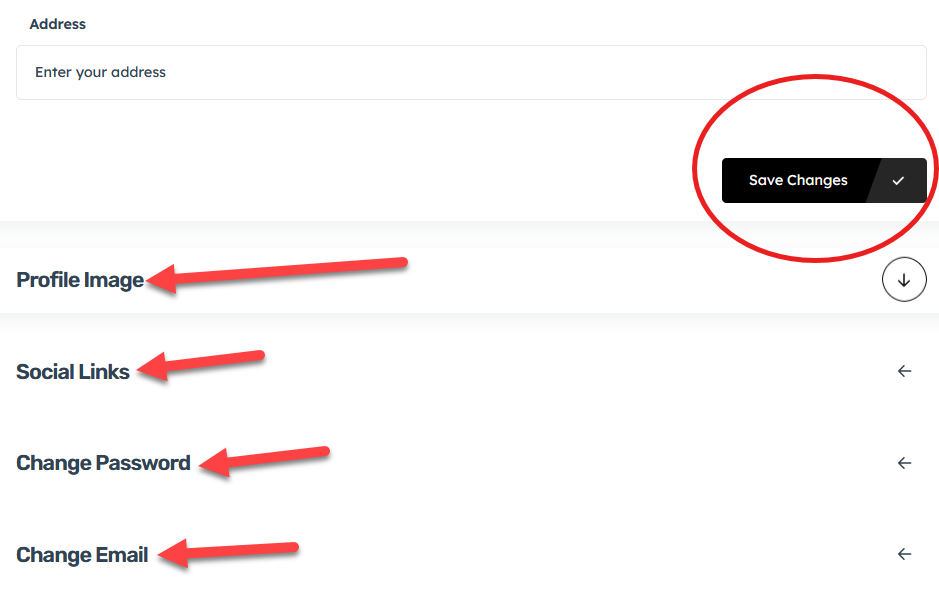
Now, scroll down and click on “Profile image” to upload a clean profile picture of yourself.
Then click on “Social Link” to share your social media pages(optional)
Then change your Password or Email address if needed
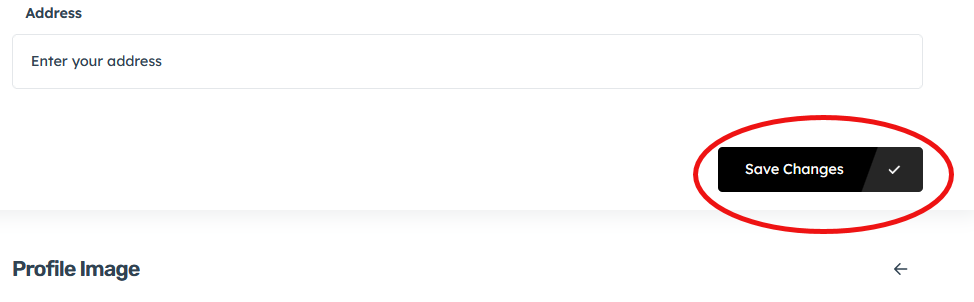
Finally, click on the button “Save changes ” to save your information